Stop running your club in a group chat.
One app for running a club or group: between sessions the club runs itself, and you stop being the person everyone messages.
- Free up to 20 members
- An app for iPhone and Android
- A web panel for whoever runs it
- In 22 languages
For everyone who meets regularly
- Sports clubs
- Dive clubs
- Choirs
- Hiking clubs
- Dance groups
- Groups of friends
What Wombu is
A diving club, a choir, a five-a-side team, nine friends who hike — Wombu keeps any group organised. Members, groups, events and announcements in one place, where the right message reaches exactly the right people and nobody has to scroll back through 200 messages to find the meeting time.
For the people who run the club
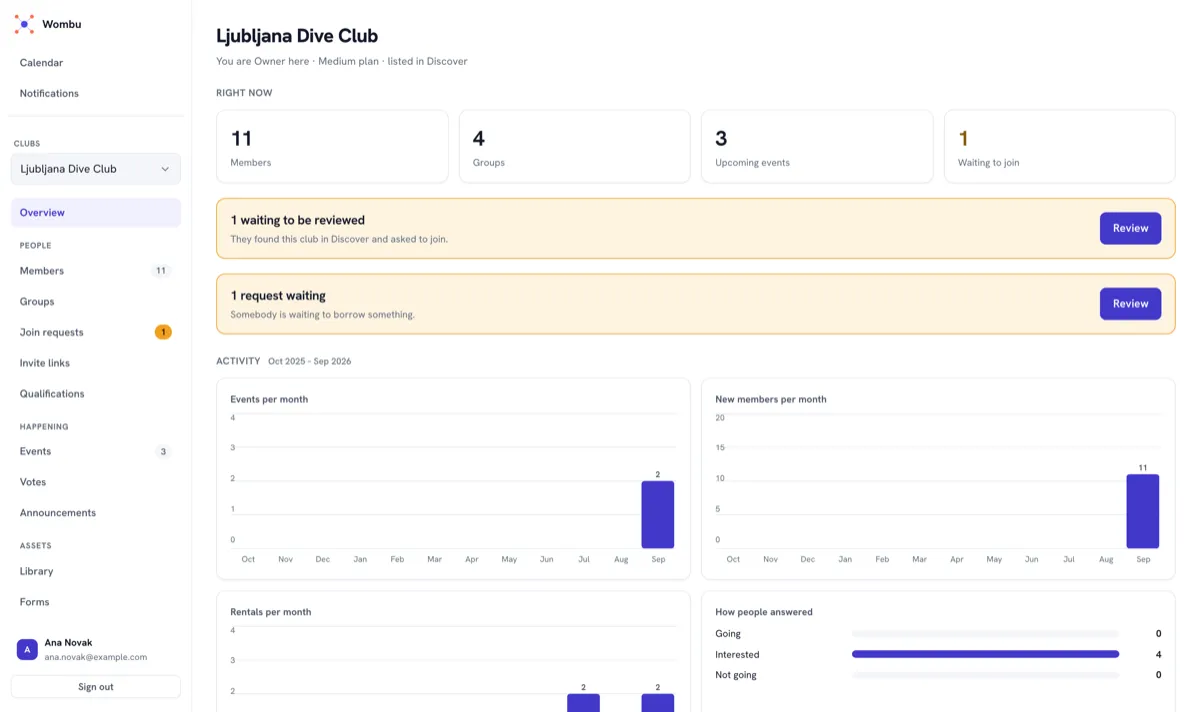
A web panel on the computer: members and groups, the calendar, membership fees, equipment and reports — everything you used to keep in spreadsheets and chats.
- Members and groups
- Membership fees, without the spreadsheet
- Who actually came
- Kit, and who has it
For the members
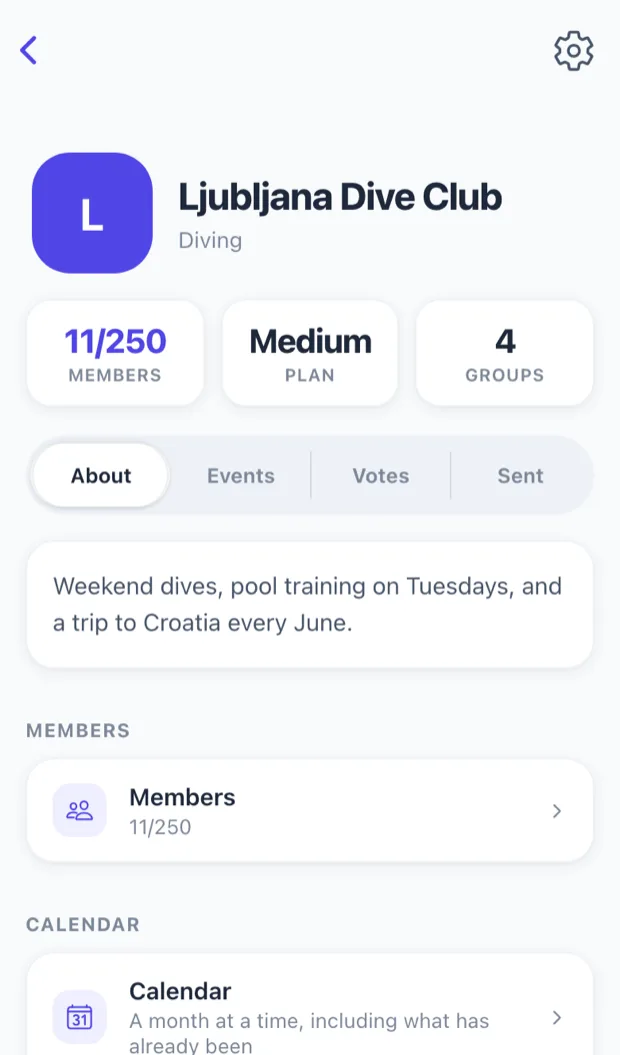
An app on their phone: the announcements meant for them, what is coming up, saying yes with one tap, and votes. Nothing for them to set up.
- Announcements that land
- Events and interest polls
- Votes with a result
- Who is driving
How to start
Create your club
Enter a name, a sport and a logo in the web panel. It takes a few minutes.
Invite your members
Send one link. Members install the app or sign in on the web.
The club runs itself
Announcements, training, sign-ups and fees — everyone sees only what concerns them.
A phone in the car park. A desk for the paperwork.
The same club, two places to run it from — and nothing to install for the second.
A roster you can search and export
Everybody, their role, their groups and when they joined — out to Excel or PDF when the committee, the federation or the insurer asks.
Training that repeats itself
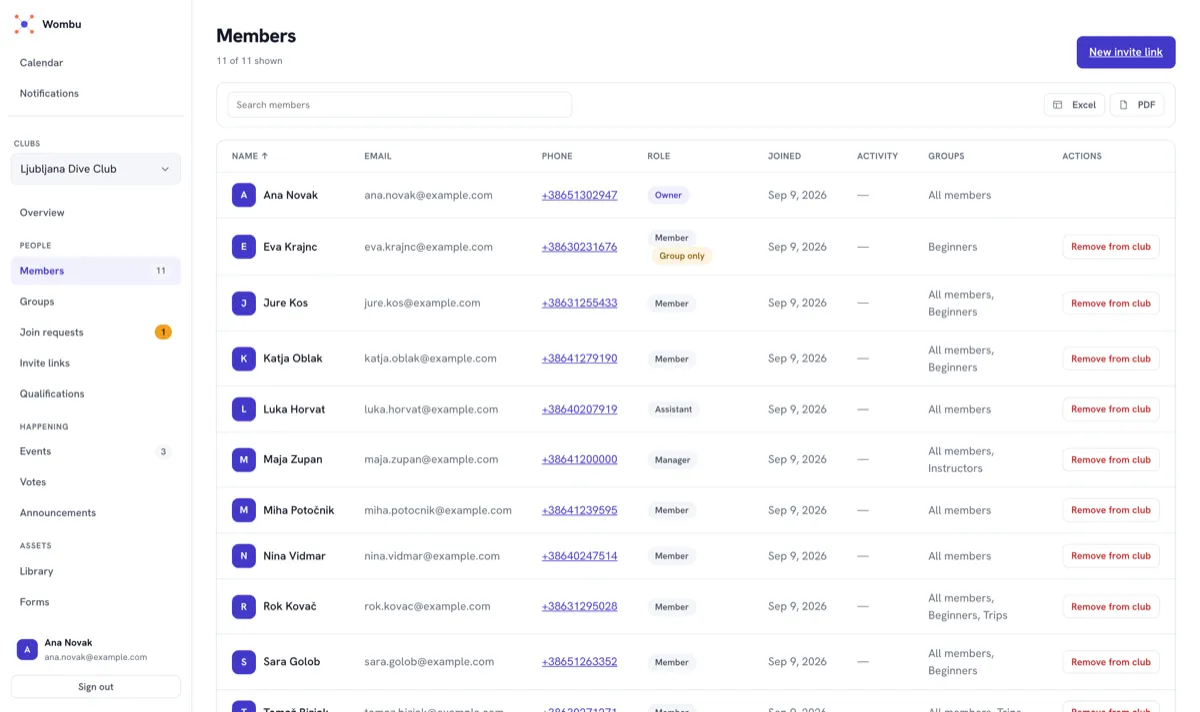
Set the pattern once — every Tuesday, the first Saturday of the month — and the calendar keeps it. Move one session without disturbing the rest, or call one off and everyone who said they were coming is told.
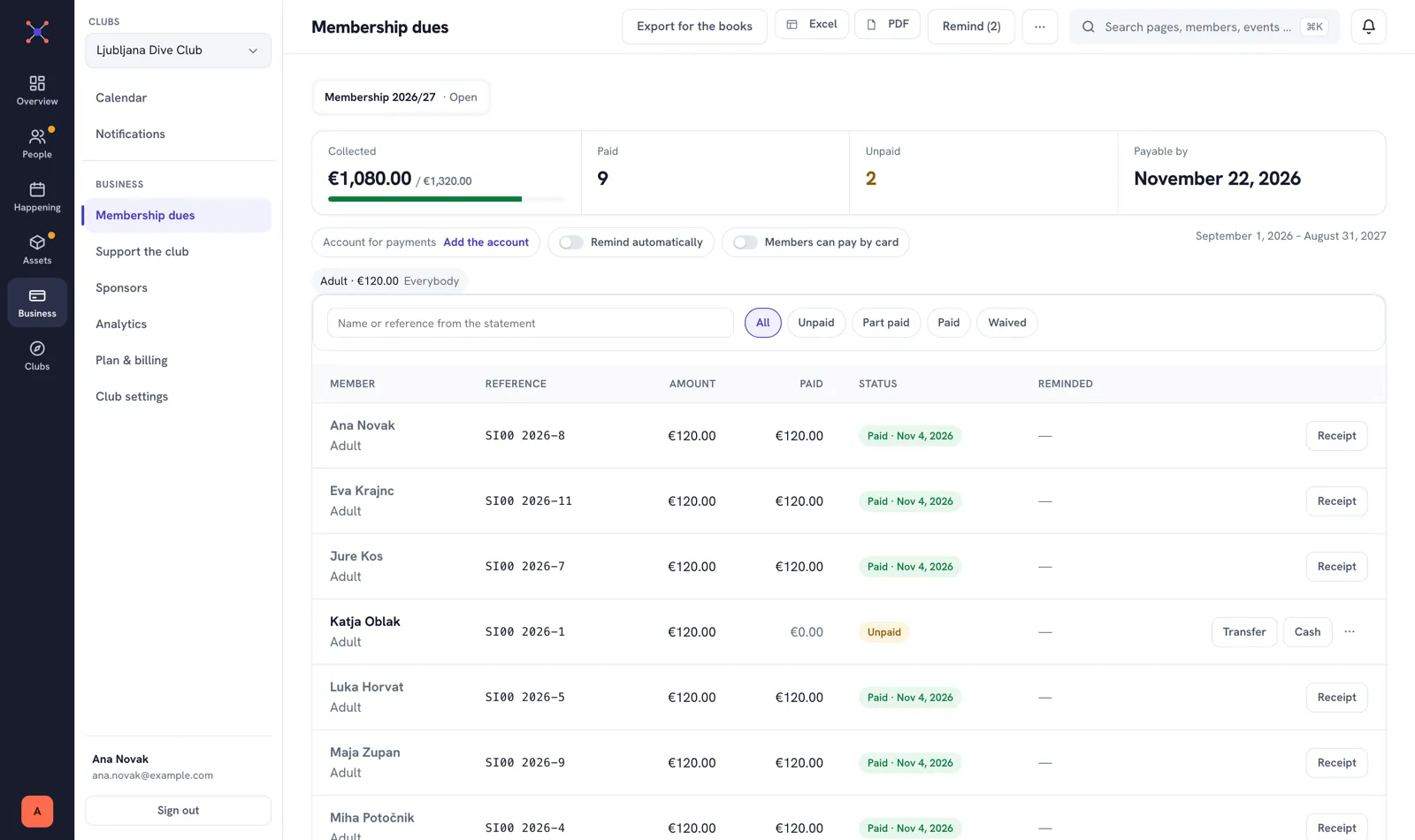
Membership fees, without the spreadsheet
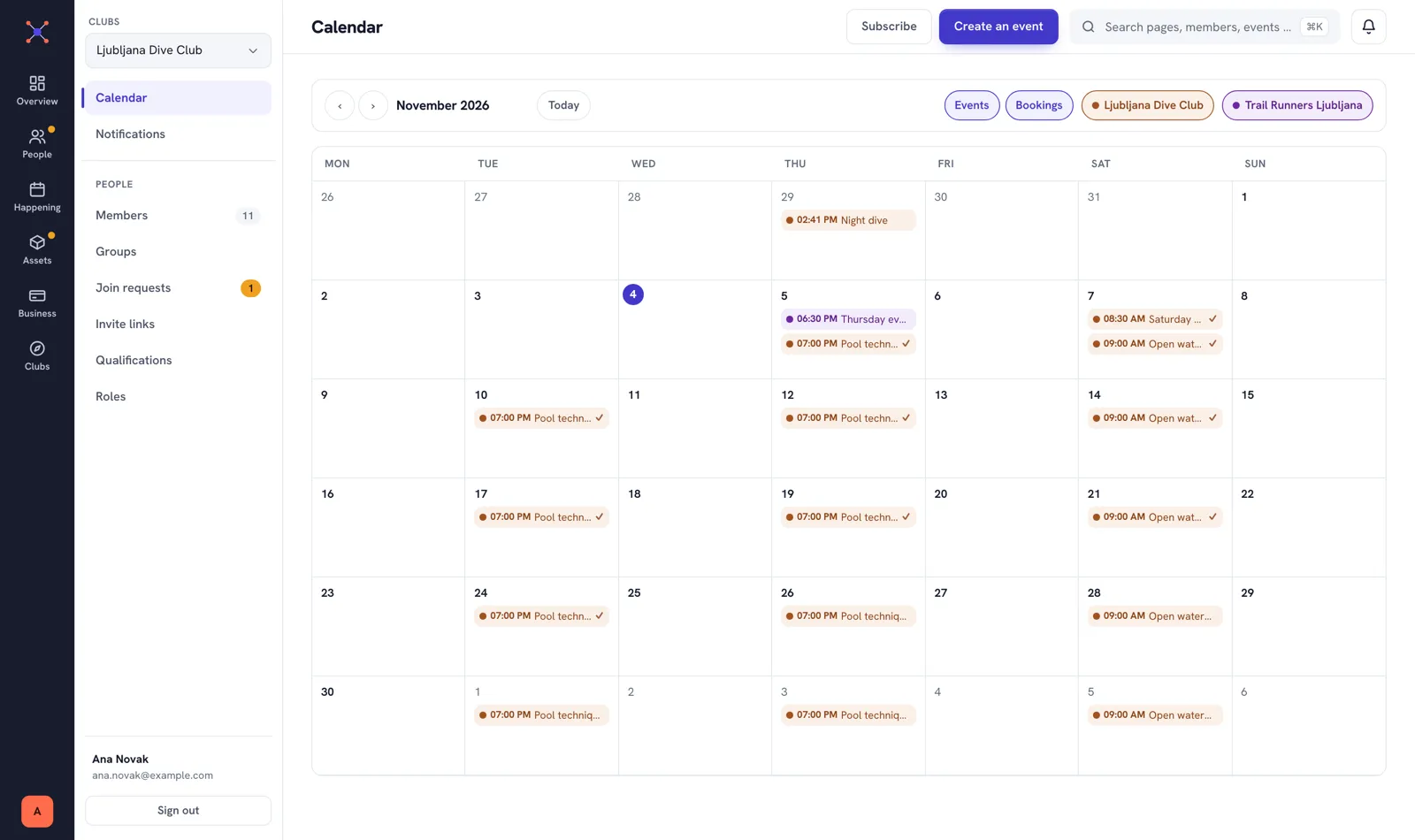
Set the fee once and the list of who owes it builds itself. Mark a payment in one click, let the reminders go out on their own, and export the books for your accountant.
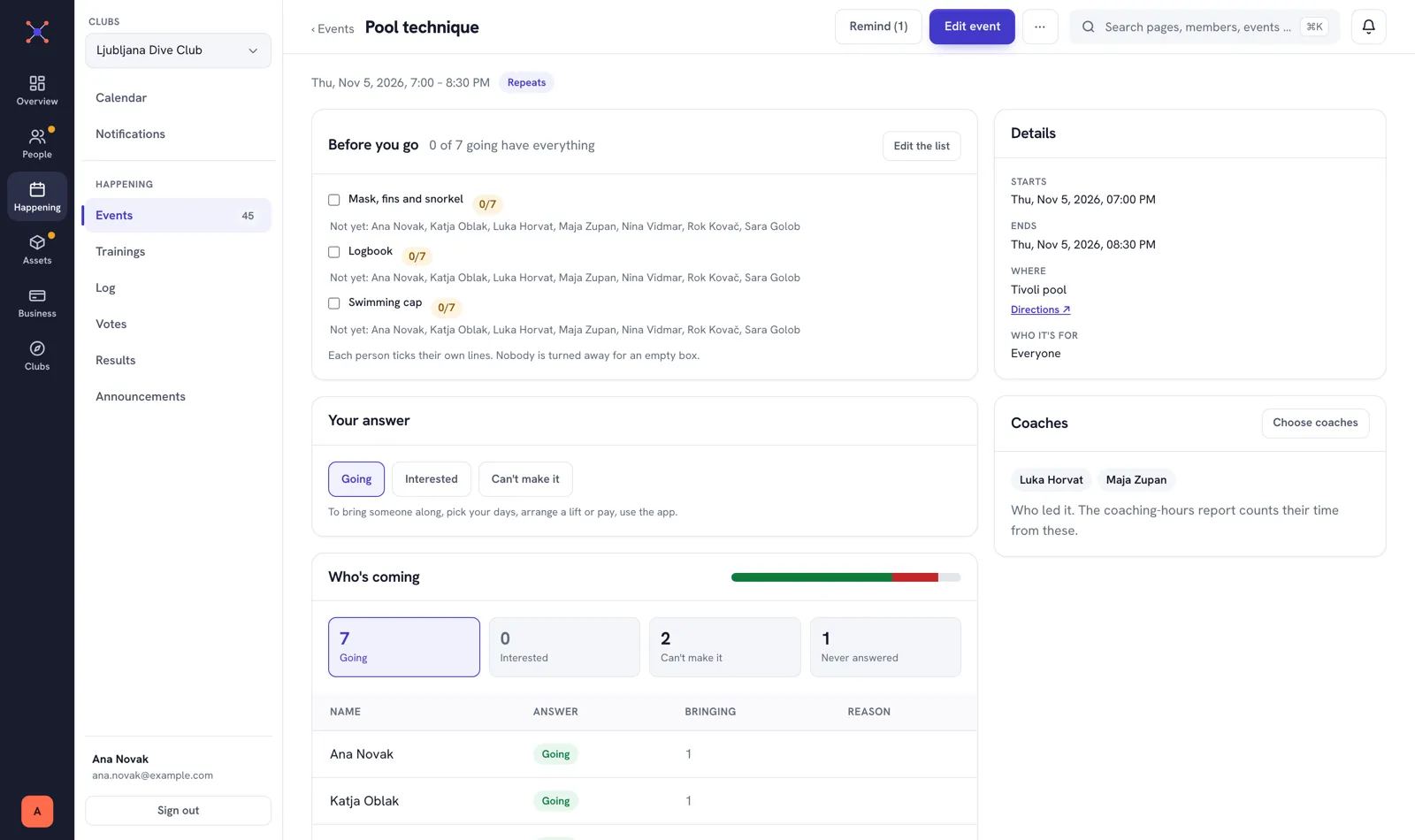
Every event on one page
Who is coming and who is not, what to bring and who is coaching — answered before anyone has to ask in the chat.
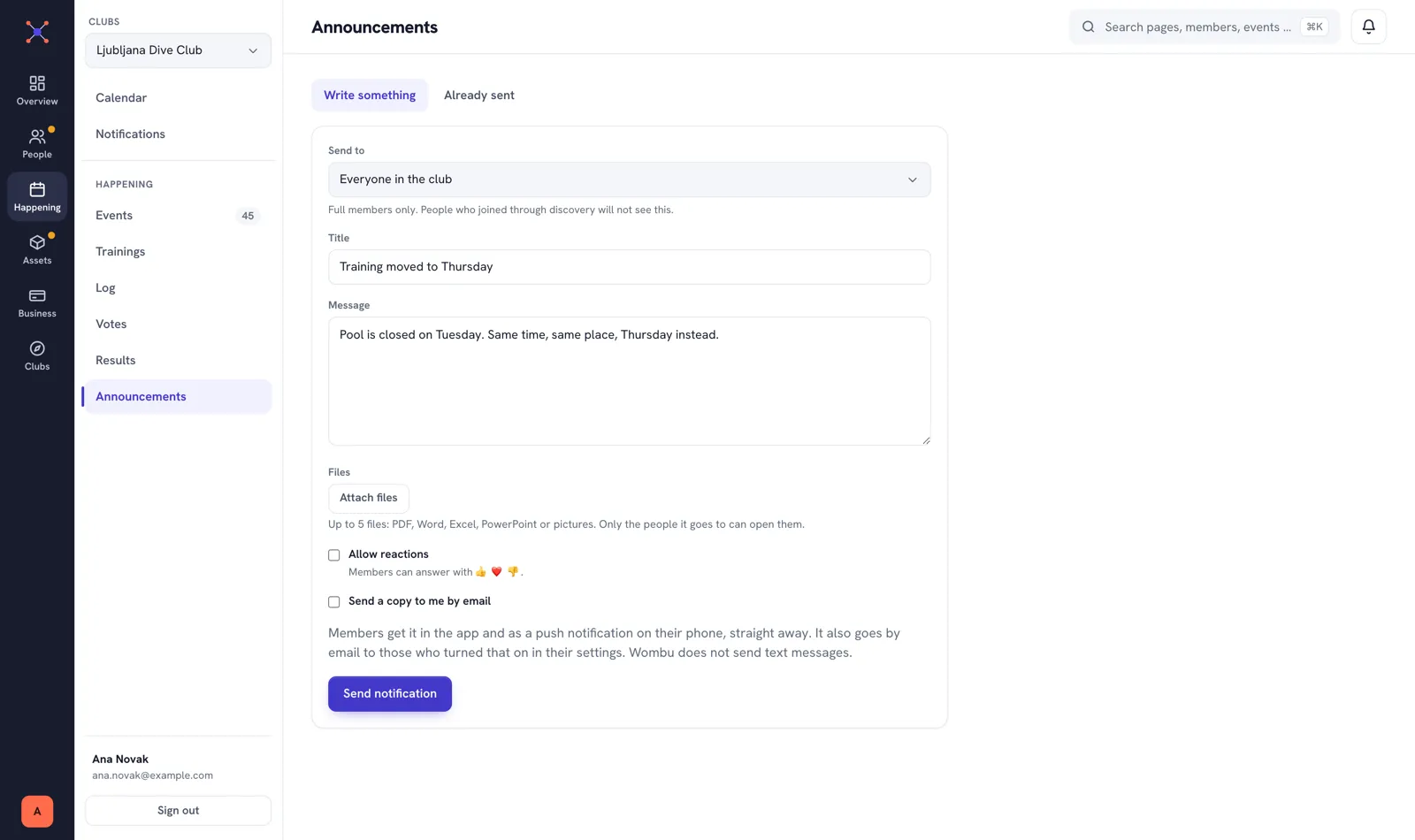
Announcements that land
Post to the whole club or to one group. People only ever see what concerns them, so nobody learns to ignore notifications.
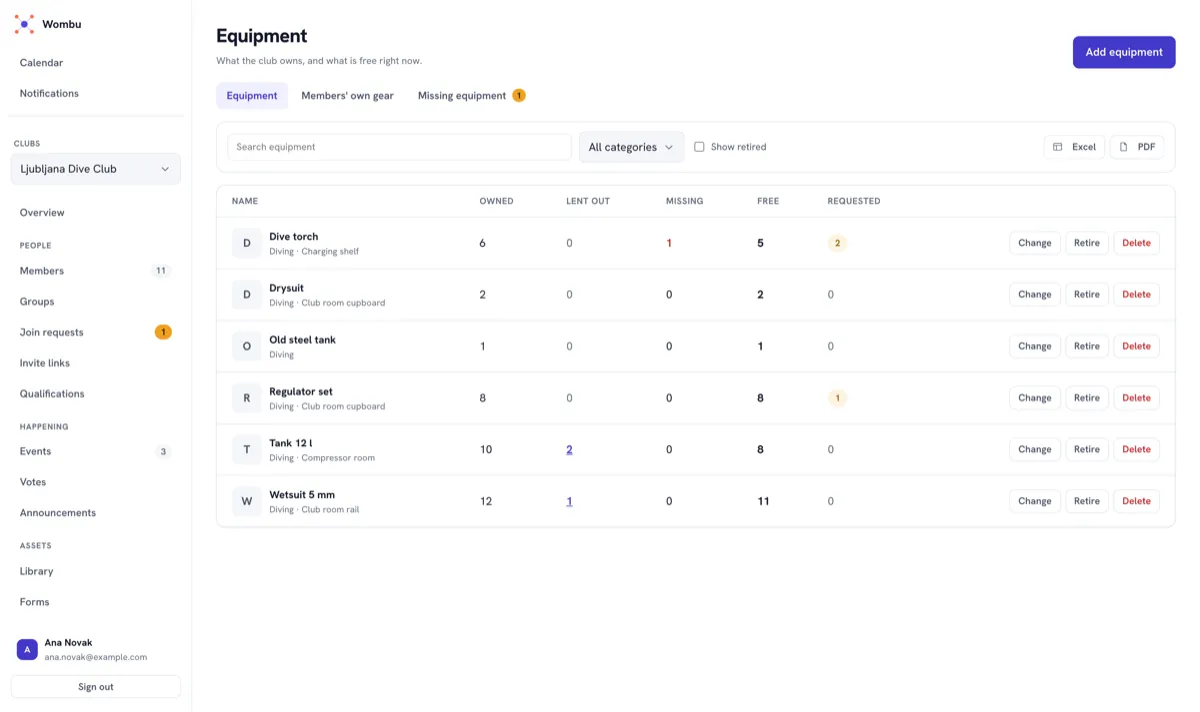
The kit, counted
Owned, lent out, missing and free, on one line each. Approve a borrow request without leaving the page.
Built for how groups actually work
A diving club, a choir, a book club, a class that shares a timetable, nine friends who hike — they all have the same problem. Not everyone needs to hear everything.
The people in it
-
Members and groups
Split a club into the groups it already has — beginners, the committee, the Tuesday team. One member can be in as many as they belong to.
-
Roles that mean something
Owners, managers and assistants each get exactly the powers they need. An assistant can invite people without being able to change your club's settings.
-
Joining takes seconds
Share an invite code or link. Revoke it the moment it has been passed around too far — without disturbing anyone who already joined.
-
Certificates and their expiry
Record who holds which qualification, and to what level. Medicals and licences that run out are flagged before they do, so nobody finds out at the water's edge.
-
Who actually came
Take the register after a session and the club has attendance, not intentions. Reports show who turns up rather than who says yes, and how many sessions really ran.
-
Who is driving
Offer seats to a training session or ask for one. The car park sorts itself out before the day rather than in a flurry of messages an hour before.
What is happening
-
Announcements that land
Post to the whole club or to one group. People only ever see what concerns them, so nobody learns to ignore notifications.
-
Events and interest polls
Ask "would anyone come to a night dive?" before committing to a date. When enough people say yes, turn it into a real event and everyone who was interested hears about it.
-
Training that repeats itself
Set the pattern once — every Tuesday, the first Saturday of the month — and the calendar keeps it. Move one session without disturbing the rest, or call one off and everyone who said they were coming is told.
-
Votes with a result
Put a question to the members and let the app count. Open or secret, one choice or several, with a closing time — and when it closes it says so, which a message thread never does.
-
In the calendar you already use
Subscribe once and the club's events appear in Google Calendar, Apple Calendar or Outlook beside everything else. Your own link, revocable, and it updates itself.
-
Places, and booking them
Save the pool, the clubhouse, the wall. An event picks one instead of retyping the address, and a place the club books by the hour can be held for the session while it is created.
What the club keeps
-
Kit, and who has it
Everything the club owns, what is out on loan and who signed for it. A member borrows from their phone; the return is signed off, and anything that comes back short is recorded as missing rather than quietly forgotten.
-
Files the club shares
The rules, the season plan, the risk assessment — filed on shelves the club names itself, and readable on a phone at the side of the pool. Photographs from a trip go in an album rather than into somebody's chat history.
-
Waivers people actually signed
Write a consent form once and the club keeps a record of who agreed to it and when. Change the wording and it becomes a new version — what somebody signed stays exactly as it read on the day.
-
The club's own log
Write up what happened after the session — where you went, who was there, what the conditions were. A dive log, a training diary, a trip record; the club's memory, not one person's notebook.
-
Paying for an event
Put a price on an event and let members settle it on their phone. The money goes straight to the club's own account — it never passes through ours, and we take no cut of it.
-
Twenty-two languages
The whole app, in every one of them — not a half-translated menu. Each member picks their own, and the club's announcements arrive in it.
A look inside
Real screens from the app, not drawings of one.
-
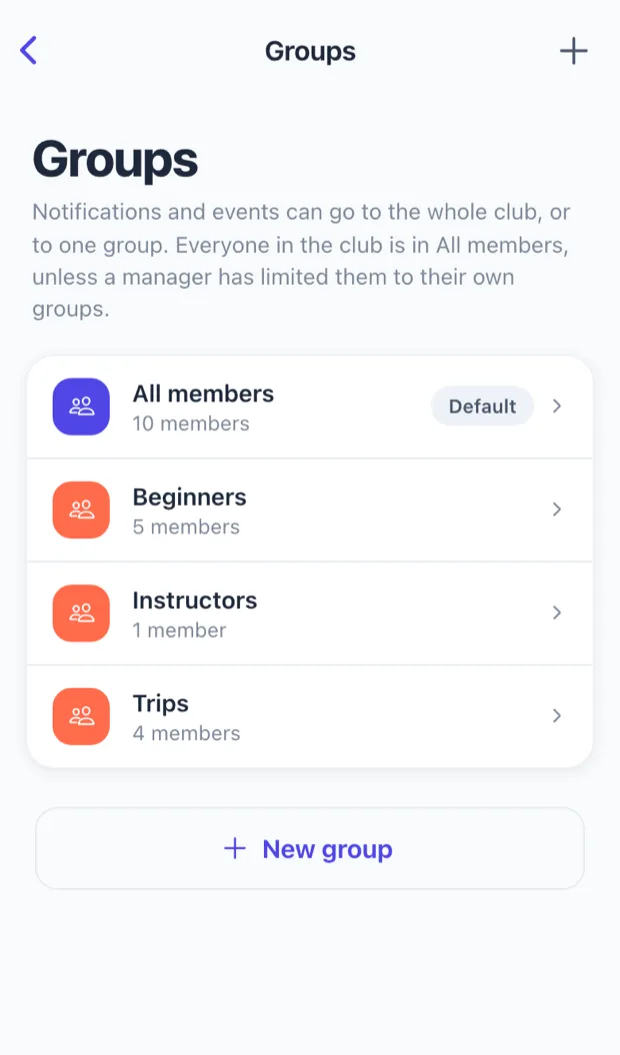
Groups
Split the group into the groups it already has. One person can be in as many as they belong to.
-
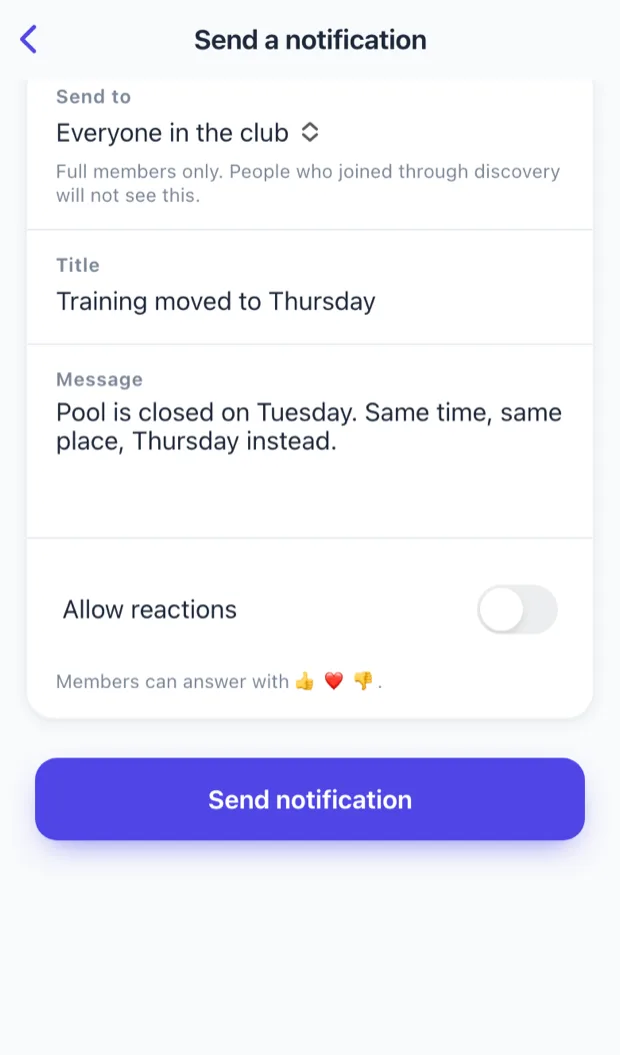
Announcements
Choose who hears it — everyone, or one group. That is why nobody here learns to ignore notifications.
-
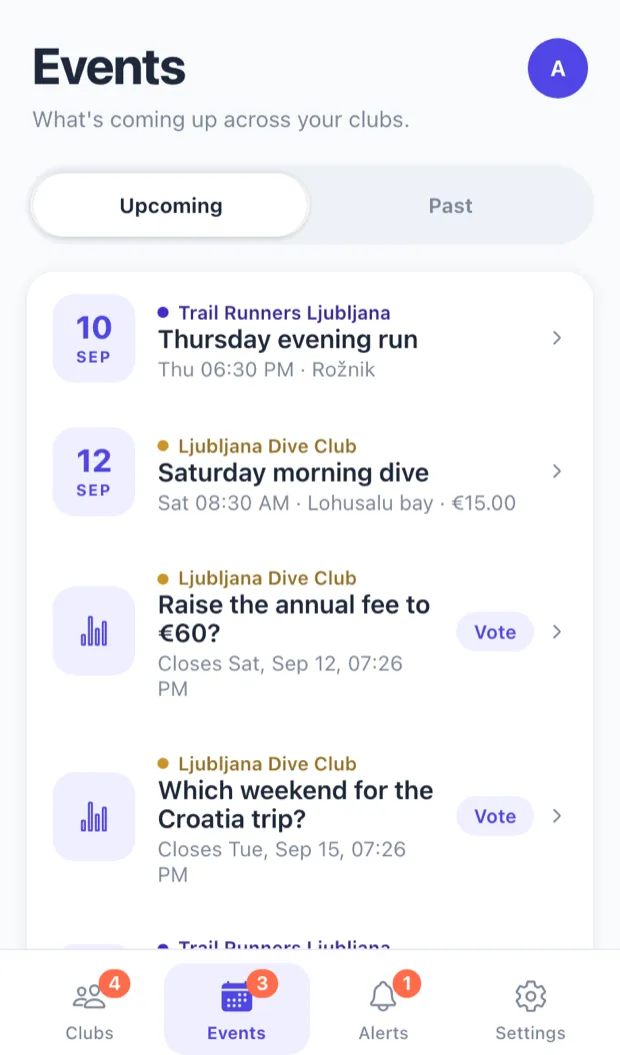
What's coming up
Every group you are in, one list. Events, interest polls and votes together, oldest deadline first.
-
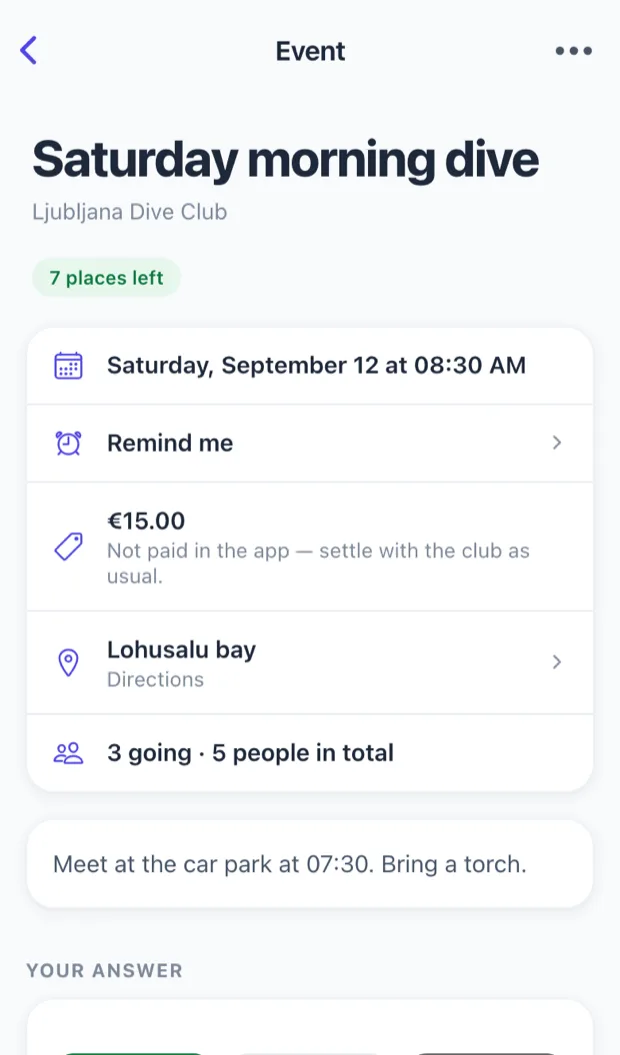
Events
A date, a place, a price the group collects itself, and who has said they are coming.
-
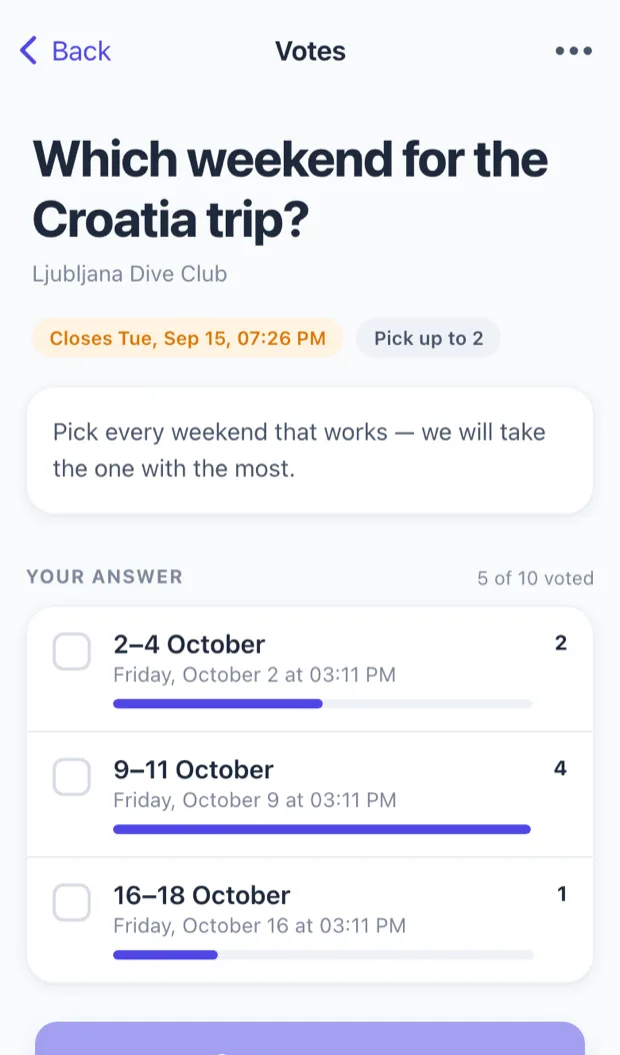
Votes
Ask, and watch the answer arrive. Nobody counts replies in a chat thread again.
What it costs
One subscription covers everyone in the club. Members never pay anything.
0 €
Free up to 20 members
Every feature, the web panel and the members' app. No card and no commitment.
Create your club — free up to 20 membersMore than 20
A bigger club? Write to us.
Tell us how many members you have, and together we will find the right arrangement for your club.
Write to usFAQ
The questions worth answering before you sign up.
How do I get Wombu?
The app is on the App Store for iPhone and iPad and on Google Play for Android — download it there. A club of up to 20 members can start today for free, in the app or on this site. A larger club writes to hello@wombu.eu and we agree the rest directly.
Does it have to be a club?
No. A team, a choir, a book club, a school year, nine friends who hike — anything with people who need to hear different things. There is nothing to register and no committee to elect.
Do members pay anything?
No. The club pays one subscription and every member uses the app for free.
What if my club outgrows its plan?
Write to us at hello@wombu.eu and we will sort out what comes next. Nobody is removed from the club because the limit was passed.
How do people join?
They tap your invite link and they are in; if they have no account yet, the link takes them through that first. Revoke the link whenever you like — anyone who already joined stays.
We already have a group chat. Why this as well?
Wombu is not a chat and does not try to replace one. It holds the things that get lost in a chat — the date, the place, who is coming, who needed to know — so the chat can go back to being a chat.
Do I have to run everything myself?
No. Managers and assistants take on the parts you hand them, and each role gets exactly the powers it needs — an assistant can invite people without being able to change your settings.
Can members see each other's details?
Only what the club decides. A member restricted to one group sees that group's activity and nothing else from the club.
Where is our data kept?
Within the European Economic Area. No advertising identifiers, no tracking across other apps or websites, and no profile built for marketing. The privacy policy says exactly what is stored and why.
Can I delete my account?
Yes, from inside the app, without emailing anyone. Your data goes with it.
Set your club up today.
Free up to 20 members. Your members join with a single link.